BREAKING NEWS

Saturday, September 05, 2015

How to mount VMware Shares on Turnkey Linux (Debian) and use it as Apache2 Document Root

Hello everyone again. After struggling to find a perfect LAMP environment for WebDev and tried so many different things I decided to give a try on the Turnkey Linux because of its small footprint and easy deployability (just invented that I word guess).

That been said and not considering myself a Linux expert at all. I was able to successful deploy TurnKey Linux LAMP 13.0 box on a VMware workstation 11. Upgrade the Webmin to the latest version at this time (v1.760). Install the latest VMware Tools available and finally mount shared folders. I will try to post later a tut on how I got everything working. But on this post I will  focus on the topic. How to mount shared folders on the guest system AND use it as Apache2 Document Root.

I will assume the following considerations;

  1. You have install VMware workstation or Player 10, 11 or 12
  2. You have already installed VMware tools and it's tested to be working
  3. and you already have configured at least one shared folder in your VM settings.
Our Goal is to share C:\www on Windows 7 host and mount it at bot time under /mnt/www on our guest Turnkey Linux.

Let's start!   We will edit the following file with nano...


...and add the following line to mount ALL shared folders under /mnt on our guest at boot time;


SAVE, EXIT and RESTART VM Tools  ->  service open-vm-tools restart
RESTART Apache -> service apache2 restart

And at this point you should be able to list the folder and files under /mnt.


You still won't be able to browse to your website yet! We will have to now do the changes to make our folder available for Apache so we can navigate to it...

Lest's copy the default contents of /var/www to our new /mnt/www;
cp -R /var/www/* /mnt/www

We need to edit the following file and change anything from /var/www to our new document root /mnt/www


Now we edit the php5.conf file and make the following changes to it;


Note: The files above can also be edited through Webmin interface as follows;


At this point you should be able to go to http:/// and you should see;

Note: Also any website under the root should work like http:///website1


That's it! From now on, every time you restart your box the shared folders will be mounted under /mnt.

Have fun! :-)

If you have any question please don't hesitate to drop a msg.


1.760

I am back!


Hello everyone! I am back! It has been a while and with so many great tutorials out there (Google) now a days I feel that writing repetitive stuff is not worth it. So I took a break from this blog. I has some other stuff going on.
Lately I've been on the IT world dealing with different challenges on a daily basis and sometimes you cannot find the right solution.
Finding a solution is like a puzzle. I take bits and peaces of different places and put them together and find a solution.
And this is what I will be doing on this blog from now on. I will not post stuff regularly but rather sporadically when I really feel like I can't find a solution for something nowhere else.

If any of you out there need help with whatever on the IT world I will be glad to try to help with my expertise's. Don't hesitate to drop a msg.

Soon I will be changing the look and feel of this blog to a more modern look.

Stay tune! ;-)

Thursday, November 13, 2014

How To: Create a Collection Based on an Advertisement Status

How To: Create a Collection Based on an Advertisement Status

You may encounter a time when you want to target systems that reported a failure message for an advertisement, or reported a specific failure exit code. This is an example of how to create a query-based collection of all systems that reported a failure for AdvertisementID LAB20089.

SELECT sys.ResourceID,sys.ResourceType,sys.Name,sys.SMSUniqueIdentifier,sys.ResourceDomainORWorkgroup,sys.Client FROM sms_r_system as sys inner join SMS_ClientAdvertisementStatus as offer on sys.ResourceID=offer.ResourceID
WHERE AdvertisementID = 'LAB20089' and LastStateName = "Failed"
Replace the AdvertisementID = 'LAB20089' with the ID you wish to create the collection based upon.
You should be able to paste this WQL directly into a new query-based membership rule, and modify the AdvertisementID for your environment.

Monday, October 06, 2014

No program in the Task Sequence

You’re trying to add a program in your Task Sequence but the program in your package doesn’t appear?


sccm, configmgr
This can be one of two things.

Either you’re allowing your users to interact with the program or the program can only run with a user logged on. This is not possible since the task sequence is supposed to be unattended.

Choose “Whether or not a user is logged in” and uncheck “Allow users to interact with the program”.


Sunday, September 02, 2012

[ TUTORIAL ] NAVICAT - Generating MD5 Hash

Hello everyone,

For those who use phpMyAdmin to create databases might already know the function that it has to generate MD5 hash for a password field. When you are entering a field just select MD5 in the 'Function' and the chosen password field turns into a MD5 hash.

For those using NAVICAT this feature is not so simple but can be done without problems.

After a long time trying to figure it out in Navicat. I come here to post a 'mini' tutorial on how to generate MD5 hash in Navicat.

You need to enable Raw Mode from the View menu.
Once activated the Raw Mode you type the function directly in the function field, ex MD5 ('123abc ').
I hope this will help those who use Navicat for databases.

Tuesday, August 28, 2012

Download a Google Chrome Theme or Extension (.crx file) WITHOUT installing it

Hello everyone. I am here after a while without posting anything bringing you this nice little trick for Google Chrome. 

Have you ever liked a Goggle Chrome Theme from Web Store but still you would like to be able to change something within it so you make it 100% to you own taste?

Well. Follow the steps below and download the Theme you like! After you download the Chrome Theme you can Edit it to your taste.


  1. Go to Google Web Store and find the Theme you want to download.
  2. In the URL of the Theme you will find the Theme ID after the /detail/
    1. https://chrome.google.com/webstore/detail/mcphcjcjgkjmbphkfjleamgkinaeebnm
  3. Now copy the follow URL and paste it in a browser other than Google Chrome. Ex. Internet Explorer https://clients2.google.com/service/update2/crx?response=redirect&x=id%3D%26uc 
  4. Replace the  with the Theme ID you copy from step 2.1 above.
  5. Save your .CRX file in your PC and you can do whatever you want with it.
The .CRX file can be opened with 7zip!

Saturday, January 29, 2011

An error occurred while trying to find updates for Addons/Updates

In Firefox Portable Edition 3.x.xx sometimes when clicking in Tools -> Add-ons -> find Updates you might get the error for the various (if not all!) Plugins/Addons you have installed from addons.mozilla.org.


My solution to this known problem is as follow...

Type the URLs below in your browser or just click on them below one by one. Let it load. You should see the certificate error just like the one below...


https://services.addons.mozilla.org
https://versioncheck.addons.mozilla.org
https://versioncheck.addons.mozilla.com
https://versioncheck.acelb.sj.mozilla.com


You simply accept these certificates permanently and after doing this you are good to go.
Simply go back to the Add-ons Update and his UPDATE and voila! You shouldn't see the errors anymore and get the updates just fine from now on.
If for whatever reason the problem starts again just repeat the procedure above.

Saturday, December 18, 2010

LINUX HOWTO - Installing Skype on CentOS-5

The Linux version of skype 2.x (beta) is available. However, there is no binary RPM for CentOS. You can install the static version by follow the instructions here:

The available generic skype binaries are 32-bit, so if you're running a 64-bit system you need to make sure you have various 32-bit libraries installed: yum install glib2.i386 qt4.i386 zlib.i386 alsa-lib.i386 libX11.i386 \
libXv.i386 libXScrnSaver.i386

Friday, December 17, 2010

LINUX - HOWTO add user to sudoers list

VISUDO must be run as root!


#visudo

- Look for a line that says root    ALL=(ALL)       ALL
- Put this line below replacing the username with your username

username     ALL=(ALL)     ALL

-hit ESC
-SHIFT+:
-type wq
-hit enter

Linux Fedora 14, CentOS and Others - Install of VMware Tools

Here is how to install vmware-tools on a Fedora Linux 13, Fedora Linux 14 and CentOS 5 guest.

First, Install the Dependencies:

]$ yum update
]$ shutdown -r now
]$ yum install gcc make kernel-devel perl

Perform an update to make sure you have the latest kernel, reboot Fedora, and then install the following packages: gcc, make, kernel-devel, and perl. Make sure the kernel and kernel-devel packages are the exact same version. If you are running 32-bit Fedora, install the kernel-PAE-devel package.

Next, Prepare the vmware-tools Installer:

]$ mkdir /mnt/cdrom
]$ mount /dev/cdrom /mnt/cdrom
]$ cd /tmp
]$ tar zxpf /mnt/cdrom/VMwareTools-8.4.2-261058.tar.gz
]$ umount /dev/cdrom

In the Virtual Machine menu, select Install VMware Tools. VMware Fusion will make an image appear to Fedora. Mount the image, uncompress the installer files to the temporary directory, and then unmount the image.

Finally, Execute the Installer:

]$ cd vmware-tools-distrib
]$ ./vmware-install.pl

Change to the vmware-tools-distrib directory and execute the Perl script, and then follow the prompts. As long as the dependencies were installed correctly, and the version of the kernel headers match the currently running kernel, the installer will automatically find all the directories that it needs.

Thursday, November 25, 2010

A Complete Guide To Type In Photoshop [Tutorial]

In Photoshop, Type consists of outlines based on vector graphics. Typeface, on the other hand, is a set of one or more fonts in different sizes designed with style and each comprising a coordinated sets of elements of writing. There are a number of typefaces available in more than one format. The most commons ones are TrueType, OpenType and New CID. Photoshop has some vector based capabilities as well. They can be well recognized in type (text) layers. You can easily use them when you resize or scale type, save it in formats like PDF or EPS, or simply print the image to a PostScript printer. So keep in mind, that its completely possible to produce type with crisp and key resolution edges in Photoshop.

A Complete Guide To Layers In Photoshop [Tutorial]

Layers is one of the core part for Photoshop users. No matter you’re drawing lines, or constructing something as big as a poster. It is always recommended to keep even a single dot created with a brush pan on a separate layer. Some might ask why?  Well its quite simple. Later on, if you want to make changes to your clipboard, you can simply move that dot (layer), put different blending options on it, hide it or even delete it without losing the rest of your work. No one wants to spend another couple of hours reconstructing the whole design just because they didn’t want that simple dot, which is now embedded in the whole clipboard. Today we will discuss layers in details.

A Complete Guide To Photoshop Preferences

Photoshop is a heavy tool, no matter whether you’re running a 32-bit or 64-bit version, it takes up a lot of memory while rendering. To get the best performance out of Photoshop, one must go through the Preferences available in all versions of Photoshop. You can explore the important settings available in Preferences tab like interface, file handling, performance, cursors, transparency, rules, guides & grids, plugins and type. In this complete guide we will review Photoshop Preferences. By making few tweaks you can also improve the overall performance of the software.
This article is part of the complete guide series, which also includes, a complete guide to layers in photoshop and complete guide to type in photoshop.

Automatically Change Windows 7 Aero Colors According To Weather Conditions In Your City

AeroWeather is an interesting application which looks for temperature or weather condition of your city and change the Windows Aero theme color according to it. The application sits silently in the system tray, retrieving the temperature in real-time. Overall, it makes an appealing connection with the temperature of your location with Windows Interface to give the real-life experience of knowing the weather conditions. With AeroWeather up and running, you can just look at the Windows current color scheme to know the temperature of your current location.

FreeMake Video Converter v1.3 Brings GPU Hardware Acceleration, Preset Editor, And More

Recently the developer Kate Smith updated me with a whole lot of new & interesting features included in latest iteration – Ver 1.3.0. Amongst the list, the most significant improvements are, a preset editor to let user select video/audio codecs & other video parameters along with an icon, support for SWF, MKV, and MPEG formats, and intrinsic preset list has been improvised with Apple, Sony and Android devices. Additionally, users can now put a limit on output file size and select video quality-speed specific encoding options.
Screenshots inside...

Copy Multiple Items To Windows Clipboard With ClipCycler

Having a clipboard manager is almost essential to the kind of work we do. This holds true for almost any user handling text, and hence a good, free clipboard management program is essential. ClipCycler is a free, open source application with a memory footprint of under 500kB that lets you cycle between various clipboard texts with keyboard shortcuts.


image

Tweak And Optimize Firefox Speed With FireTune

You can either configure the Firefox settings manually or use FireTune. The difference is 30 minutes or more. Instead of having to tweak settings in ‘about:config’ manually, just provide FireTune with some basic details such as CPU speed and Internet Speed, and it will optimize your Firefox based on such input.
    Note: Make sure you have made the backup of Firefox configuration before tweaking it with this tool. Backup and Restoration of original configuration can be made from within this tool.

    It is a portable tool for Windows only, just extract the content from the zip file, open the folder, and hit FireTune executable file. You can also optimize Firefox portable using this tool, hit Settings, select Type Of Firefox, and choose Firefox Portable.

    tweak optimize firefox portable

    Thursday, November 18, 2010

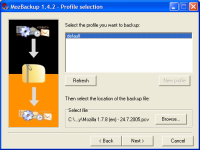
    Backing up your firefox profile has never been easier!

    Have you ever had to re-install  you OS or simply want to install Mozilla Firefox on another PC but wanted to have it the same exactly way as you had before but don't know how to do it or thought it is very difficult to be done? Not anymore! 
    This where MozBackup comes into play! And best of all. It's FREEWARE!


    MozBackup is a simple utility for creating backups of Mozilla Firefox, Mozilla Thunderbird, Mozilla Sunbird, Flock, SeaMonkey, Mozilla Suite, Spicebird, Songbird and Netscape profiles.
    It allows you to backup and restore bookmarks, mail, contacts, history, extensions, passwords, cache etc. It's an easy way to do Firefox backup, Thunderbird backup ...

    Monday, November 15, 2010

    Windows 7 - Cannot delete .eml files

    One one of my clients got a very  nasty virus called Win32.runouce (Avast Name) a variation of the W32/Chir. What this virus does is creates big amount of tmz****.tmp files that infected with a trojan file pp.exe. Also modifies registry keys and infect other executables files.
    Even after you have the system cleaned by your anti virus and/or manually this virus leave lots of .eml files. These .eml files are generally email files but in this case are left overs from this virus.
    The whole point here is that even after the system is supposedly cleaned you still cannot delete these files within Windows 7 operating system. If you search for these files the results might come out hundreds or thousands of them. You can select them but Windows Explorer will not give you the option to delete!

    Thursday, November 11, 2010

    Tips: Xmarks


    One of my favorite Firefox add-ons is Xmarks. Xmarks keeps bookmarks and passwords synchronized among my computers and the various browsers I use. Before the advent of Xmarks it was a cumbersome process for me to keep bookmarks synchronized among my PCs and Macs, at home, at work, or while on the road.
     
    Back To Top
    Copyright © 2014 Unrevealing Box .